Conversation history
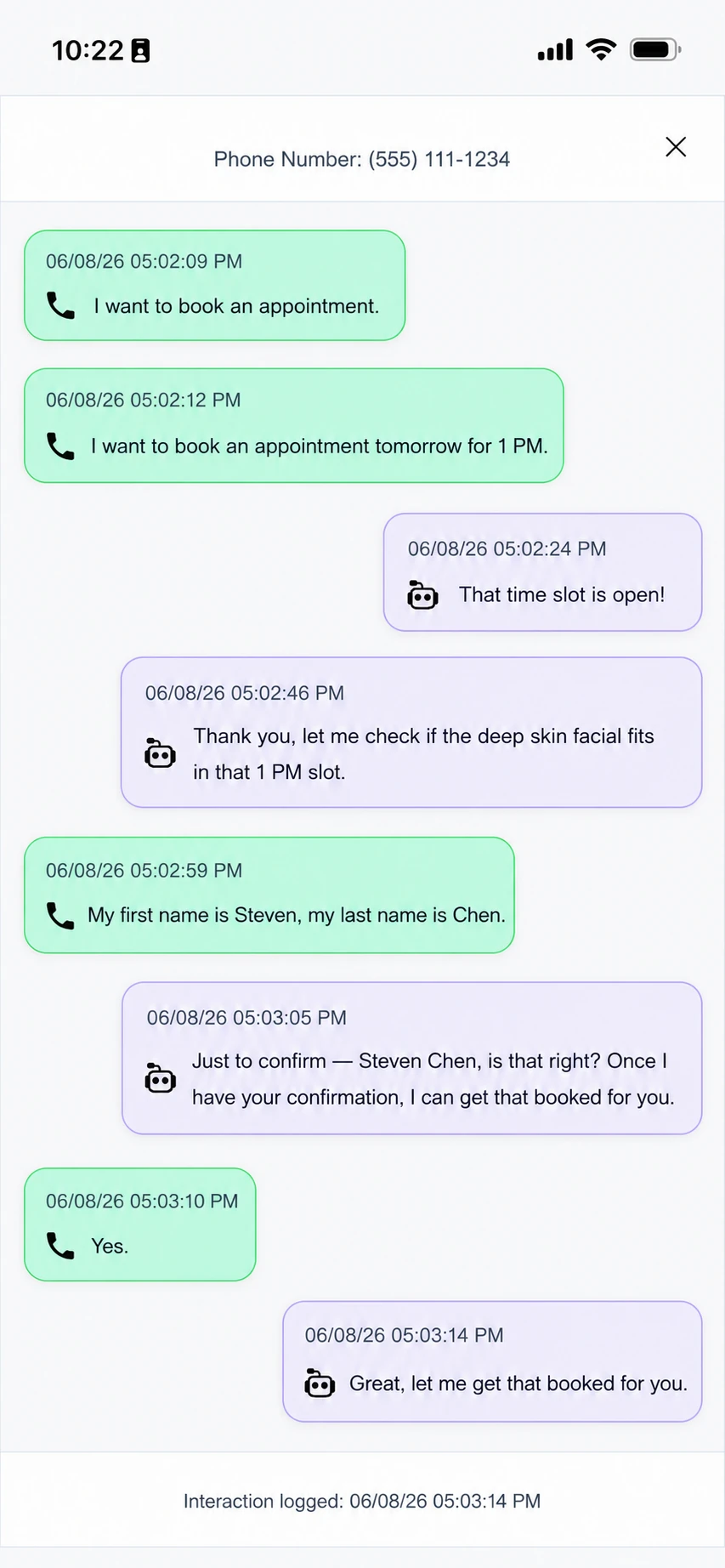
Search calls, SMS, and web chat by customer, channel, date, or outcome.

iANSWER client app
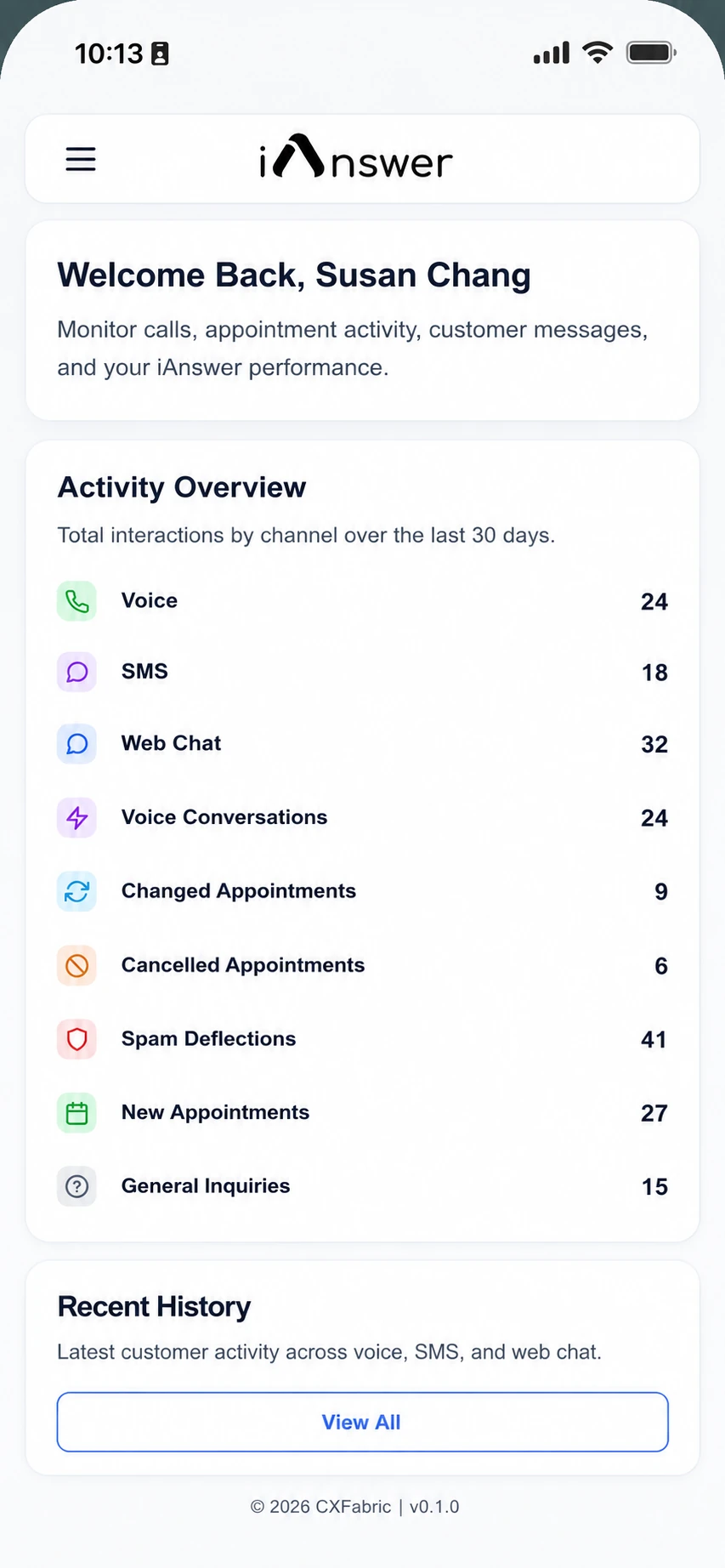
The client app gives your team one clean workspace for calls, texts, web chats, bookings, handoffs, and the flow behind every iAnswer response.
 iAnswer Client App
Incoming call
Workspace visibility
Your team can review what happened, understand why it happened, and follow up when a customer needs a person.
Search calls, SMS, and web chat by customer, channel, date, or outcome.
See appointments booked, changed, canceled, or sent to your team for review.
When iAnswer transfers or captures a message, the context is ready for your team.
Track volume, questions answered, bookings captured, and conversations needing follow-up.
Review and search
The app helps owners and managers understand what happened without listening to every call or digging through disconnected tools.
Find customer history Review the complete trail before calling back.
See completed work Know which conversations became bookings, messages, or handoffs.
Keep the flow accountable Understand how iAnswer handled each request.
More bookings capturedfrom missed and after-hours calls
Ongoing control
iAnswer is built around your real customer conversations, so the client app becomes the place where your team can spot patterns and decide what should happen next.
See common questions, frequent booking requests, and requests that need better flow logic.
Use real activity to refine booking rules, escalation paths, and what information iAnswer should collect.
Keep watching outcomes as the flow moves from demo, to sandbox, to live production systems.
Start with a real flow
We will set up the first number, build the initial flow, and show you how the client app keeps every action easy to review.